Searching for information within forms, or in other words, within a table, can be done in four different ways:

A) Display column content in alphabetical order
The triangular tab at the top of each column allows this to be done easily.
B) Using the search field
You can enter a search term. The search is case-insensitive, accent-insensitive, and immediately displays results matching the first letters entered. The search is performed across all visible columns in the table.
C) Using the "Complementary Form" dropdown menu
This filter allows you to display only the forms that include a specific type of complementary form.
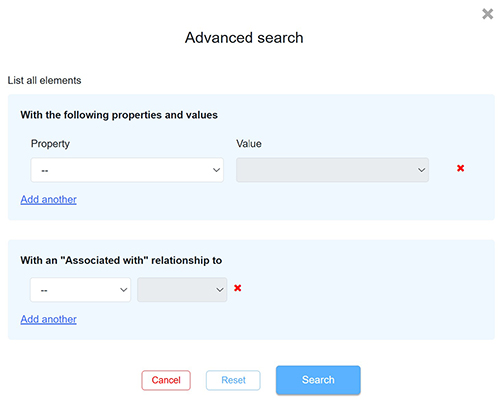
D) Using the advanced search module
More complex cross-searches can be carried out by selecting Property and Value parameters. Associated With relationships can also be included in the search. This search is performed across all fields of the corresponding form, so the searched properties do not need to appear as columns in the table.
The "Value" field is a multi-select dropdown menu. For example, if three values are entered (a, b, c), the query will be interpreted as a "OR" condition: a "OR" b "OR" c.