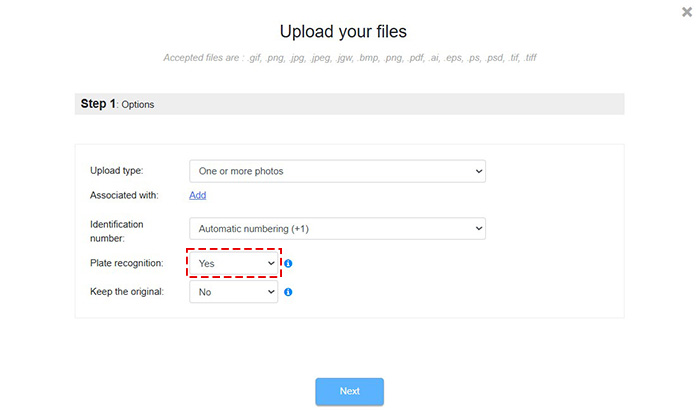
The first step of the Upload Process allows you to activate the Letter board Recognition option. An artificial intelligence model reads the inscriptions on plates visible in the photos. The photos are then automatically linked to the corresponding form.
The sequence of actions required for automatic recognition can be broken down into three phases:
In the first phase, a form is created in the field and an identification number is generated.
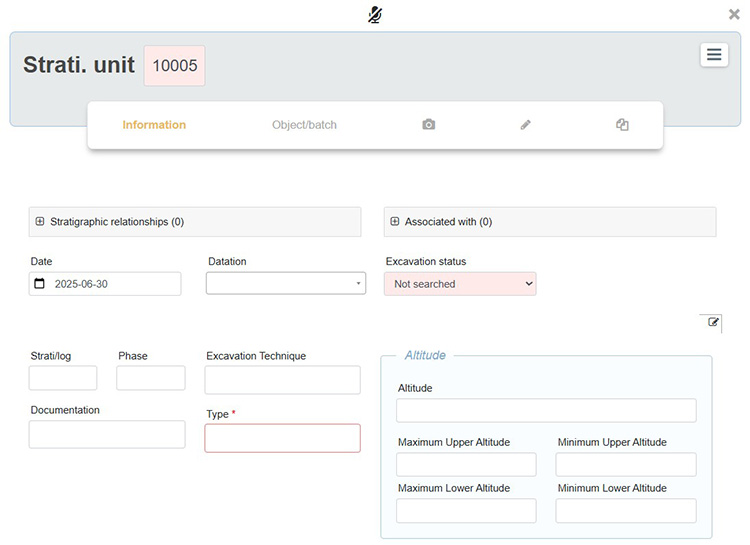
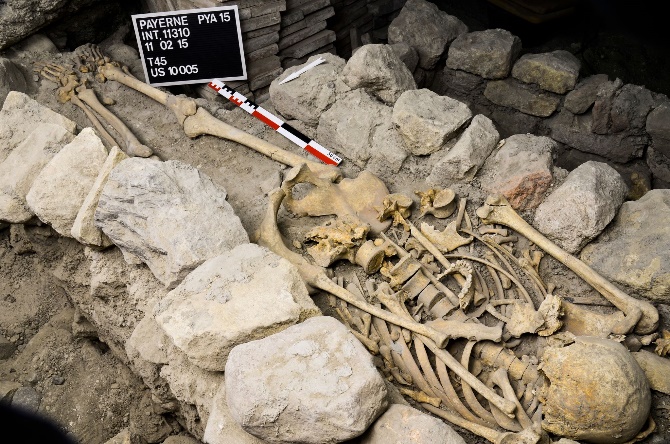
In the second phase, a letter board is included in the photo. The plate must contain the form type name adjacent to the identification number of the form, for example US 10005. It is important that the form type name within ArcheoBase, US in this example, matches exactly what is written on the board.
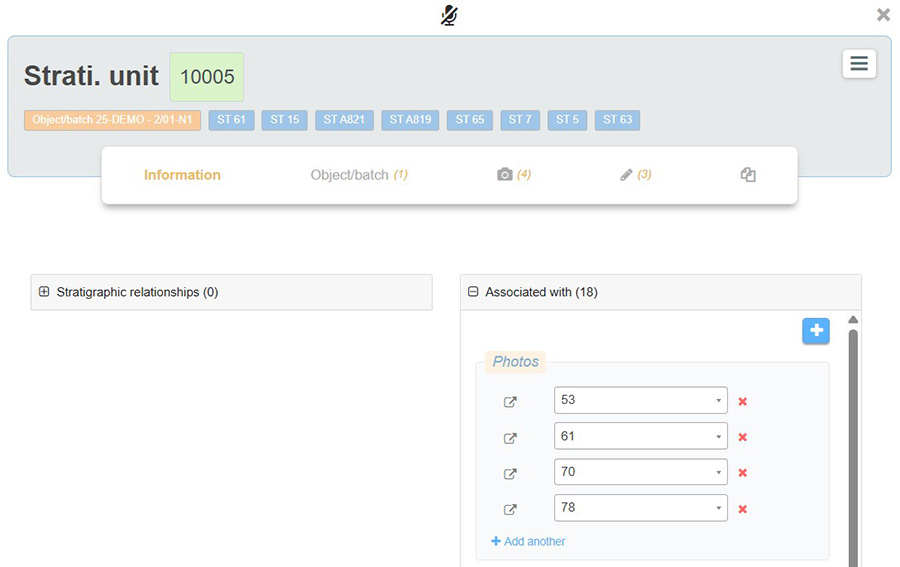
In the third phase, the user can upload all the photos containing plates, and they are automatically associated with the corresponding forms.
It is recommended not to activate the Letter board Recognition option for photos that do not contain plaques, as the recognition algorithm slows down the upload process and causes unnecessary server load. Therefore, it is advised to group photos into batches (with versus without plates) and activate the Letter board Recognition only for the batch that includes plaques.
To perform the upload, click on Add from the Photos tab in the main menu.
- Then select Letter board Recognition: Yes
- The associations are then automatically generated within the corresponding forms: