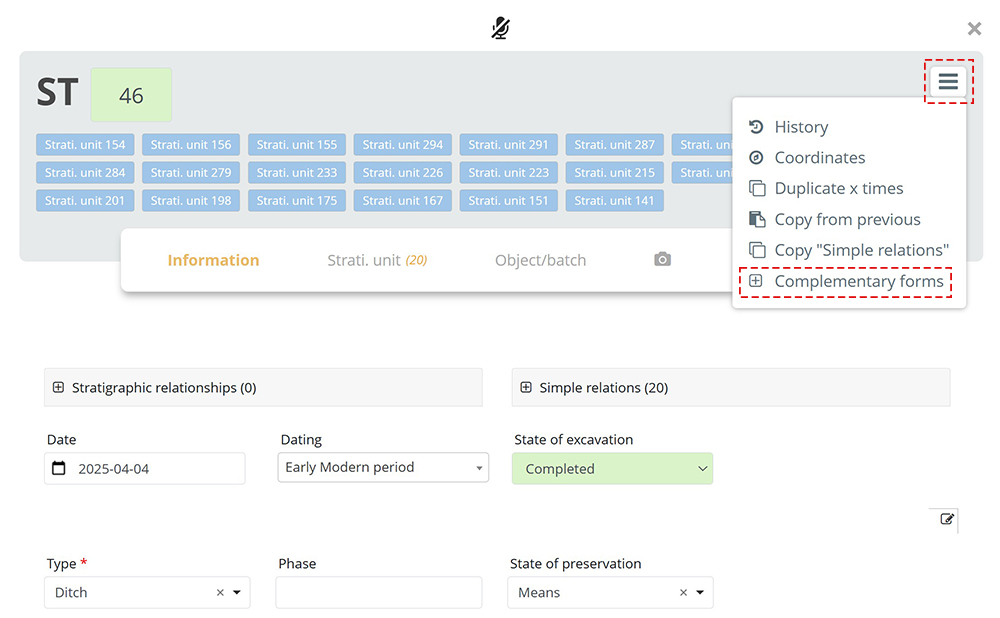
A Complementary Form is a form embedded within another form. It allows for extending the information already contained in the base form. Supplementary forms are often used by researchers or specialists who require much more detailed forms than those used by some archaeologists.
The advantages are:
- Sharing a common identification number between the two forms.
- Avoiding redundancy of identical fields across both forms.
- Gaining an overall view by grouping information together.
Example:
The user can insert an Inhumation grave complementay form into the Stratigraphic unit base form. It then appears as a tab embedded within the Stratigraphic unit form.
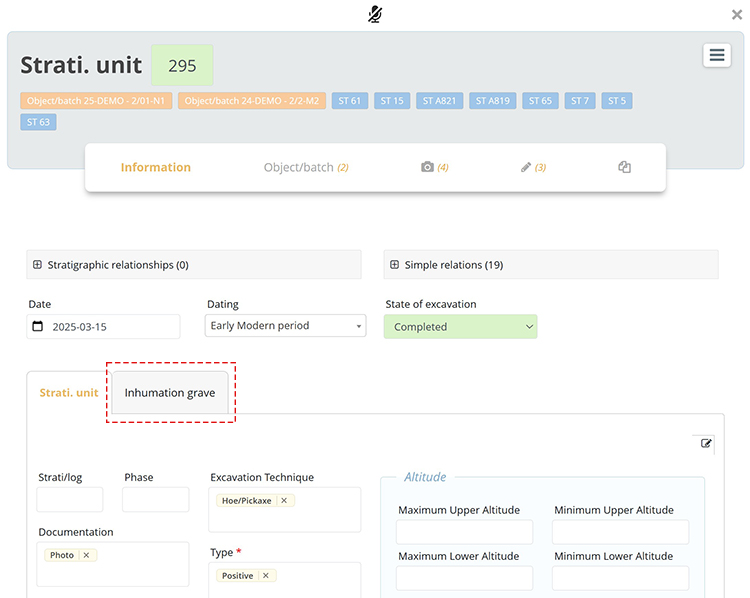
In this example, the Inhumation grave complementary form is a specialized form that does not need to include fields related to stratigraphic units, as those fields are already present in the base form.
Create a Complementary Form
In the menu Configuration  / Form Configuration, a Complementary forms tab lists all forms that can be integrated into a base form. This is where Complementary forms can be created or edited.
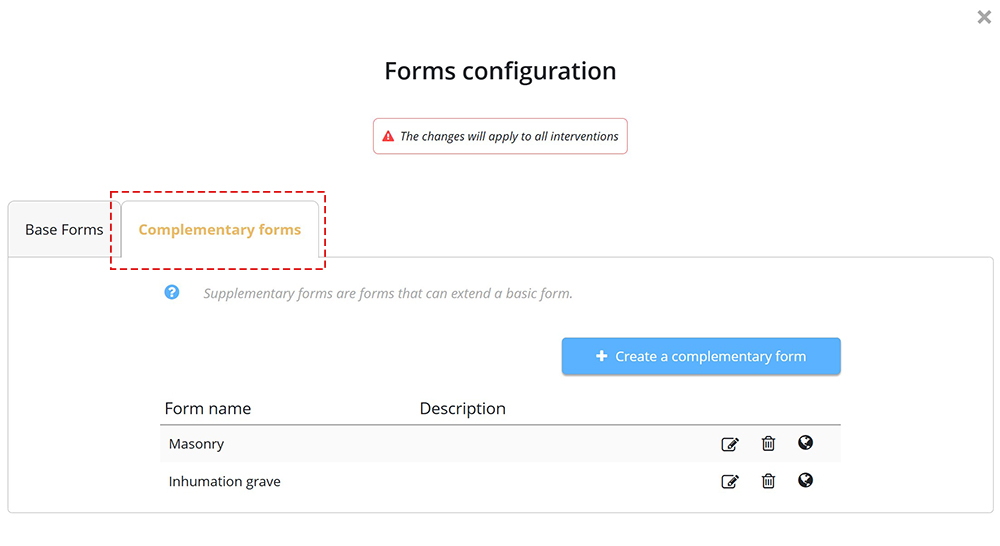
Add a Complementary Form to a Base Form
Within the base form, a menu button allows you to add an existing complementary form from the list mentioned above.