The rights management system in ArcheoBase defines the roles of those responsible for managing:
- Program administration
- Intervention administration
- Form management
Permissions to input (write) or view (read) data can also be defined per person and per intervention site.
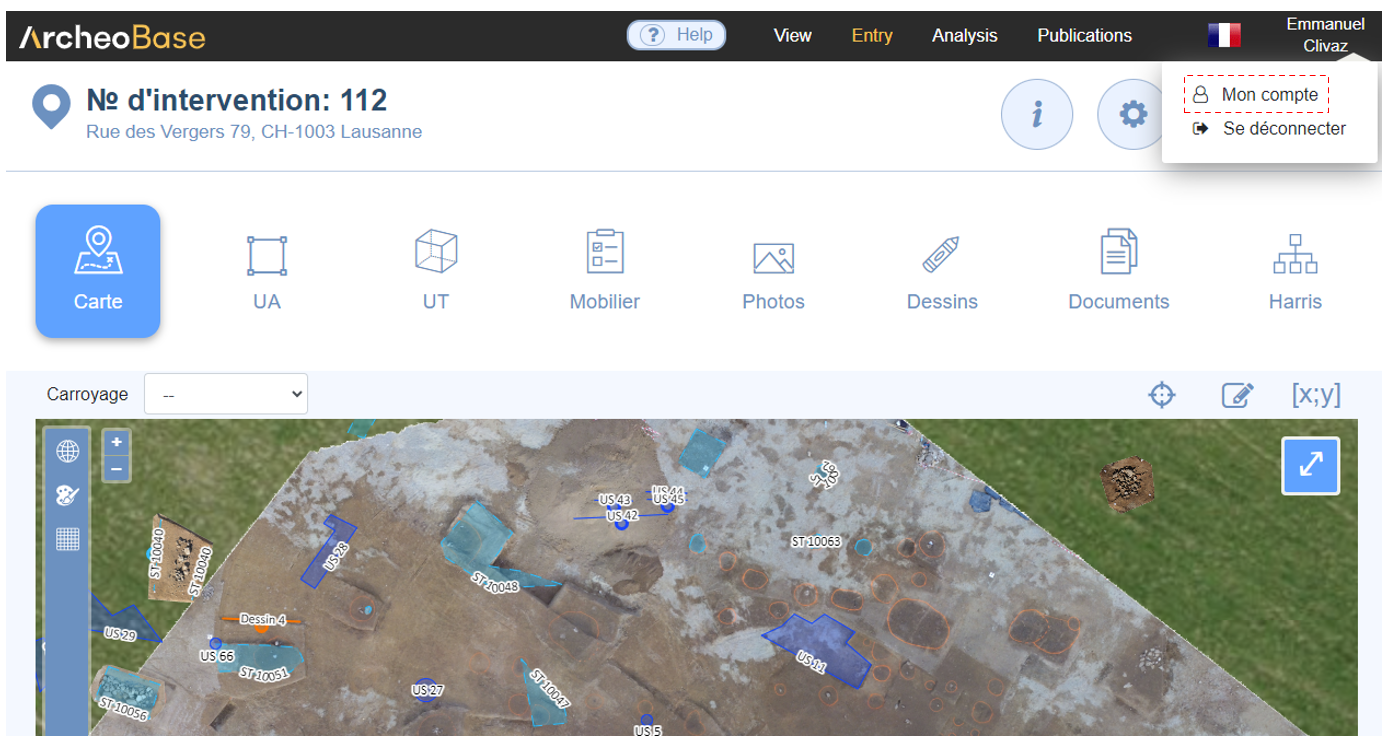
Only individuals with the Program Administration right can access the user management page via My Account then Users/Rights.
The first person registered in the system holds the Program Administration right. This person is responsible for inviting all other users and configuring their rights. If another person needs to take on this role, their identity and email address must be communicated to support.
User and Rights Table Features
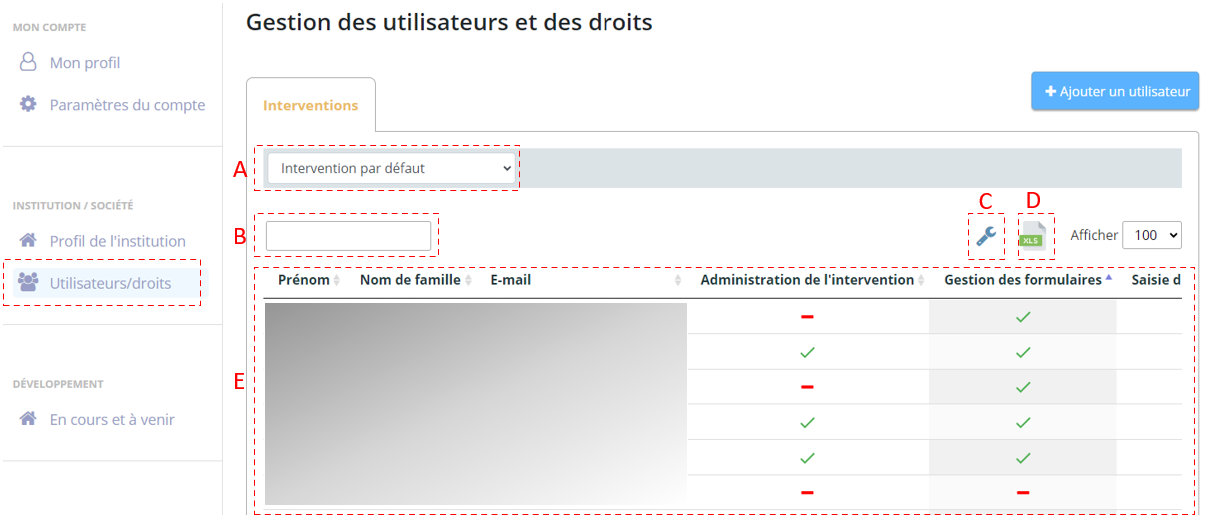
| A | Filter the user table by intervention |
| B | Free-text search fields |
| C | Configure table column display |
| D | xlsx export of table contents |
| E | User and rights table |
Types of Rights
There are six assignable rights: Program Administration, Intervention Administration, Form Management, On-site Data Entry, and Data Consultation.
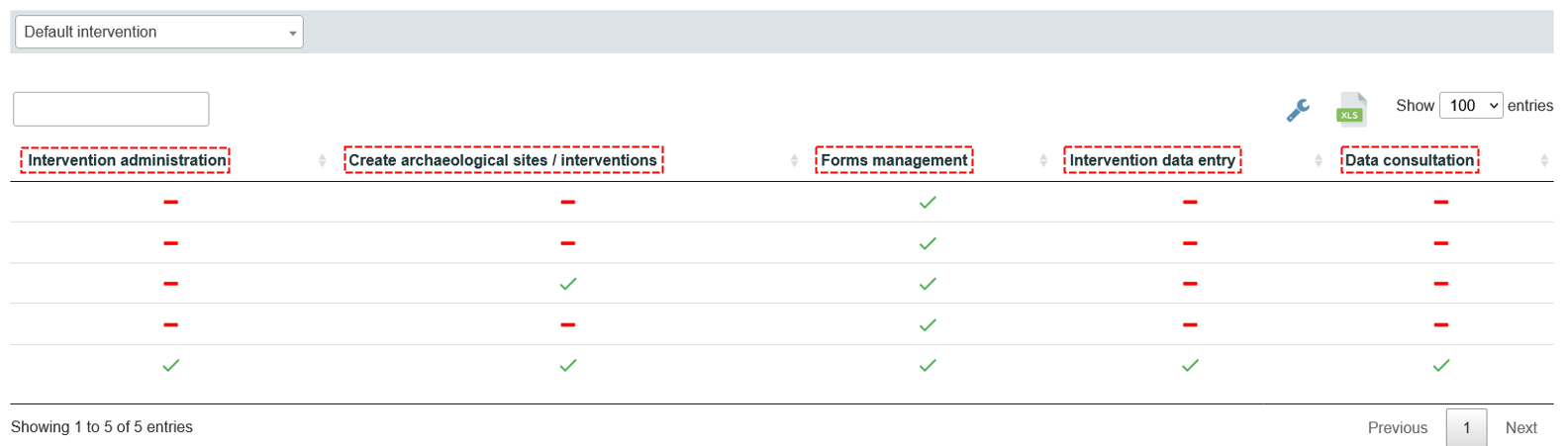
| Program Administration |
|
| Intervention Administration |
|
| Form Management |
|
|
|
| On-site Data Entry |
|
| Data Consultation |
|